 Swift Backup

What Shizuku is
Shizuku is a separate app from another developer. It lets apps use parts of Android that normally need ADB or root. Swift Backup uses it on phones without root.
Shizuku's own manual shows how to start it, with steps for each method. Follow the Shizuku user manual.
Start Shizuku
Shizuku's manual lists three ways to start it:
- Wireless debugging: On Android 11 and later, without a computer
- A computer: On Android 10 and older, over ADB
- Root: On a rooted phone, start it directly
Started with wireless debugging or a computer, Shizuku stops when your phone restarts. Start it again after each restart. Until then, tasks that need it, such as Wi-Fi schedules, can't run.
Let Swift Backup use Shizuku
Start Shizuku first
Start Shizuku before you open Swift Backup.
Open Swift Backup
On a phone without root, Swift Backup asks Shizuku for access when it starts. Allow it.
Check Root status
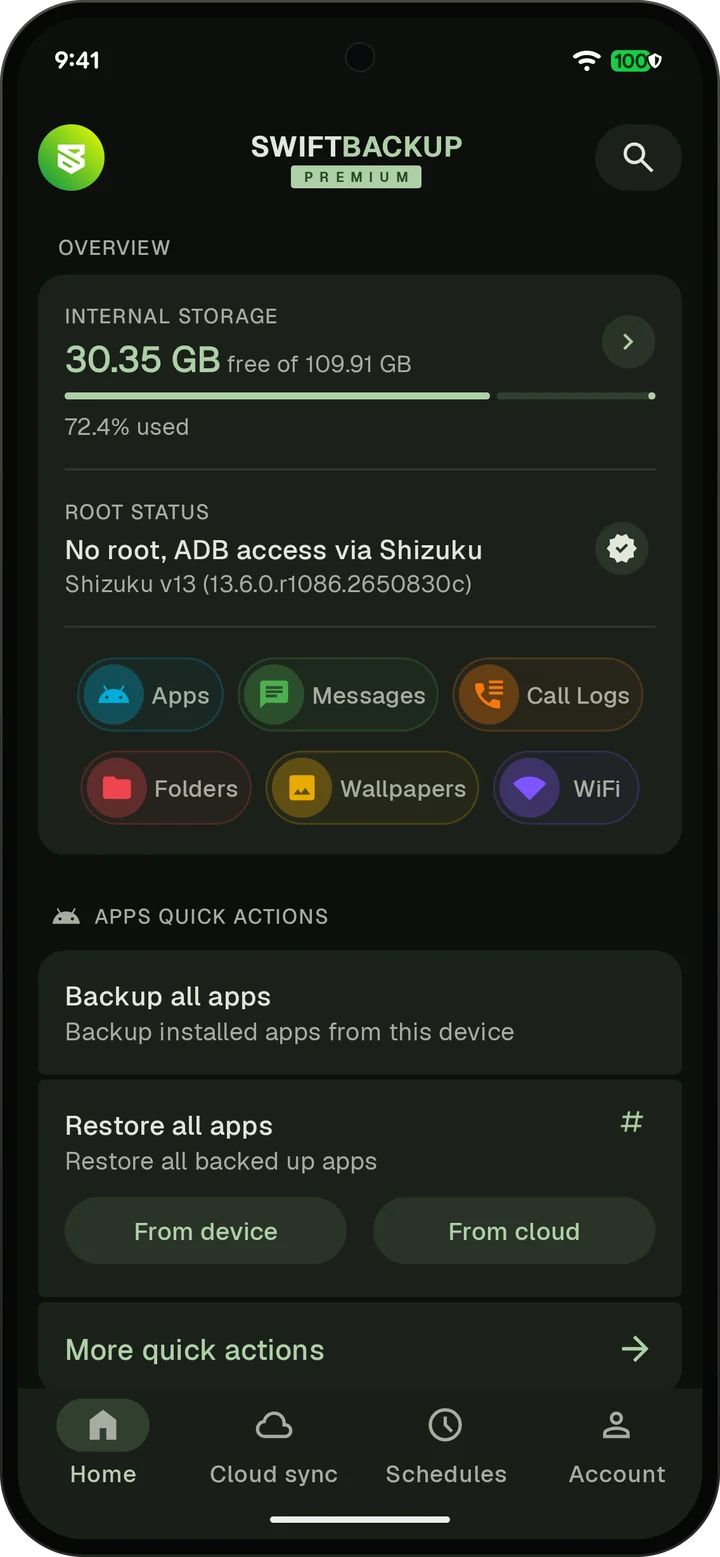
On the Home screen, Root status reads No root, ADB access via Shizuku.
Started Shizuku later
If Swift Backup was already open, tap the refresh icon next to Root status.
When you set up Swift Backup with Shizuku running, tap Grant all with Root or Shizuku. It gives Swift Backup its permissions in one tap.
What Shizuku unlocks
| Task | Without root | With Shizuku | With root |
|---|---|---|---|
| Back up APKs and split APKs | Yes | Yes | Yes |
| Restore many apps at once | One at a time | Yes | Yes |
| Restore permissions and app settings | No | Not SSAID or notification settings | Yes |
| External data and expansion files on Android 11 and later | No | Yes | Yes |
| Wi-Fi backup on Android 11 and later | No | Yes | Yes |
| Encrypted RCS chats on Android 17 and later | Switch SMS apps for a moment | Yes | Yes |
| App data | No | No | Yes |
With Shizuku, batch restores install apps without asking you to confirm each one. Encrypted RCS chats on Android 17 and later are read directly, in scheduled backups too.
Premium custom configs need root or Shizuku as well. The Shizuku feature page lists everything Shizuku adds.
What still needs root
- App data, the app's private files. Shizuku can't back it up or restore it.
- SSAID, the Android ID each app sees
- Each app's notification settings and channels
- Keeping Google Play as the installer of restored apps
- SD cards and USB drives on some older Android versions
The FAQ shows what each app part needs.