 Swift Backup

What a backup keeps
- SMS and MMS messages
- Encrypted RCS chats on Android 17 and later
- Call logs
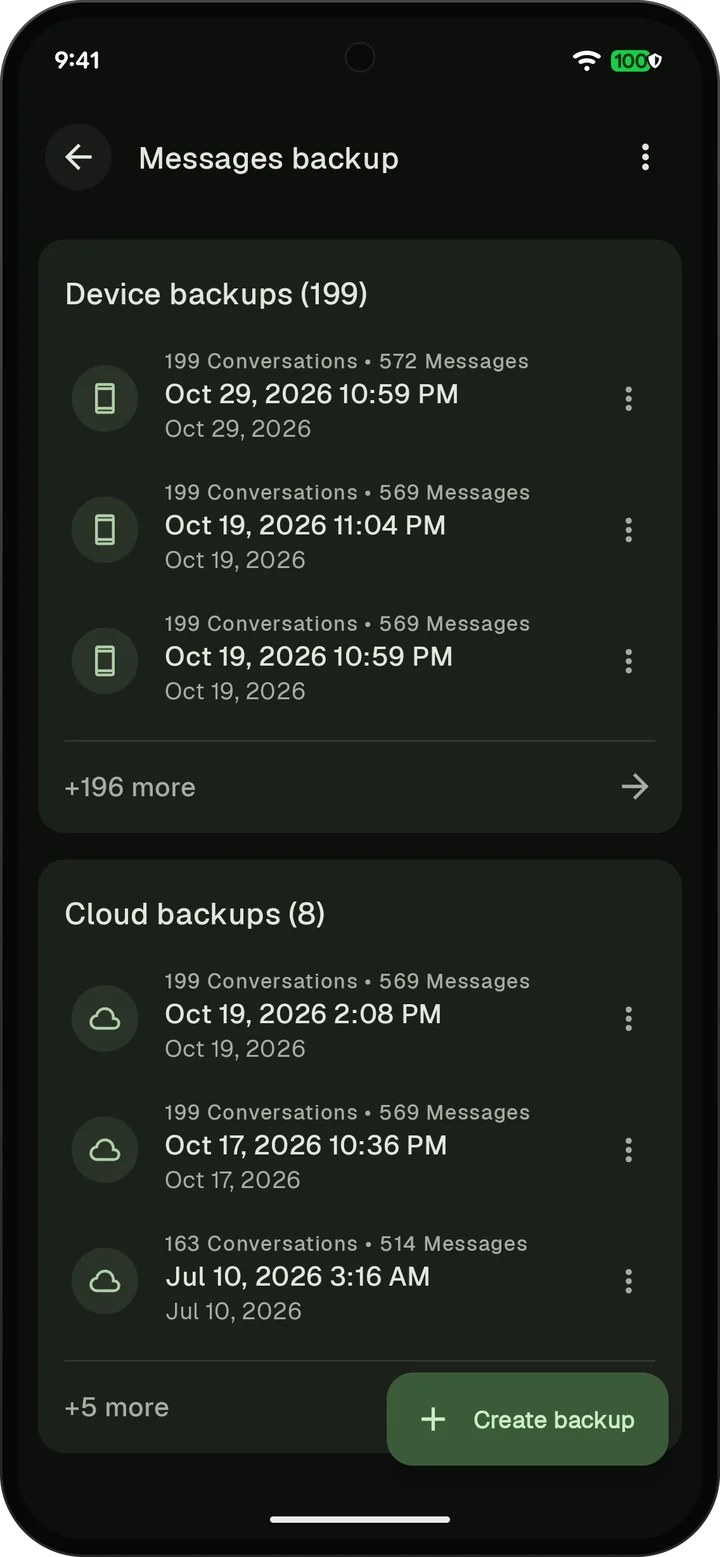
Messages and call logs are separate backups. Back up one or both, and choose how many backups of each to keep.
Messages need the SMS permission and call logs need the call log permission. On devices without phone features, messages and call logs are hidden.
The SMS and call log guide walks you through a backup and a restore.
Encrypted RCS chats on Android 17 and later
On Android 17 and later, only your default SMS app can read encrypted RCS chats. To include them, Swift Backup asks to be your default SMS app while it loads your messages. Then you switch back to your usual messaging app, before the backup starts.
With root or Shizuku, Swift Backup reads these chats directly and skips the switch.
Scheduled backups: A schedule can't ask to switch your SMS app. Without root or Shizuku, Swift Backup skips the scheduled messages backup and reminds you to back up by hand. To leave these chats out instead, tap Don't remind me in that notification or turn off Back up encrypted RCS chats in the messages backup settings.
If messages are missing from a backup on Android 17 and later, see Common issues.
How a restore works
To restore messages, Swift Backup needs to be your default SMS app until the restore ends. Then it asks you to switch back to your usual messaging app.
Call logs restore with the call log permission. Your SMS app stays as it is.
If Google Messages doesn't show your restored messages, Common issues explains the fix.
Where the backups go
Keep them on your phone, upload them to your cloud or both. Cloud backups of messages and call logs are free with a Google account. Premium schedules can back them up on the days you choose.
Message and call log backups are encrypted with AEGIS-256 on your phone. Keys are derived with Argon2id. The Advanced password option adds your own password. It stays on your device.